Dear support,
I am trying to generate a cylinder reginement region using the following code:
"""
workflow.TaskObject['Add Local Sizing'].InsertNextTask(CommandName=r'CreateLocalRefinementRegions')
loc_ref_reg = workflow.TaskObject['Create Local Refinement Regions']
loc_ref_reg.Arguments = dict(
{
'AddChild': 'yes',
'RefinementRegionsName': 'loc_ref_reg_CYLINDER_vec_lec',
'CreationMethod': 'Cylinder',
'BOIMaxSize': 50.0,
'CylinderMethod': 'Vector and Length',
'SelectionType': 'label',
'LabelSelectionList': ['blade_tip'],
'Axis': {'X-Comp': 1.0, 'Y-Comp': 0.0, 'Z-Comp': 0.0},
'CylinderLength': 1000.0,
'CylinderObject': {'X-Offset': -100.0, 'Y-Offset': 0.0, 'Z-Offset': 0.0, 'Radius1': 150, 'Radius2': 300},
}
)
loc_ref_reg.AddChildAndUpdate()
"""
If I am not mistaken, this would take a bounding box around my 'blade_tip' and get the center as starting point (X1, Y1, Z1). Then using the X/Y/Z-Offset keys inside 'CylinderObject' I should be able to position the cylinder and get the dimensions. When I execute the code I have the following:
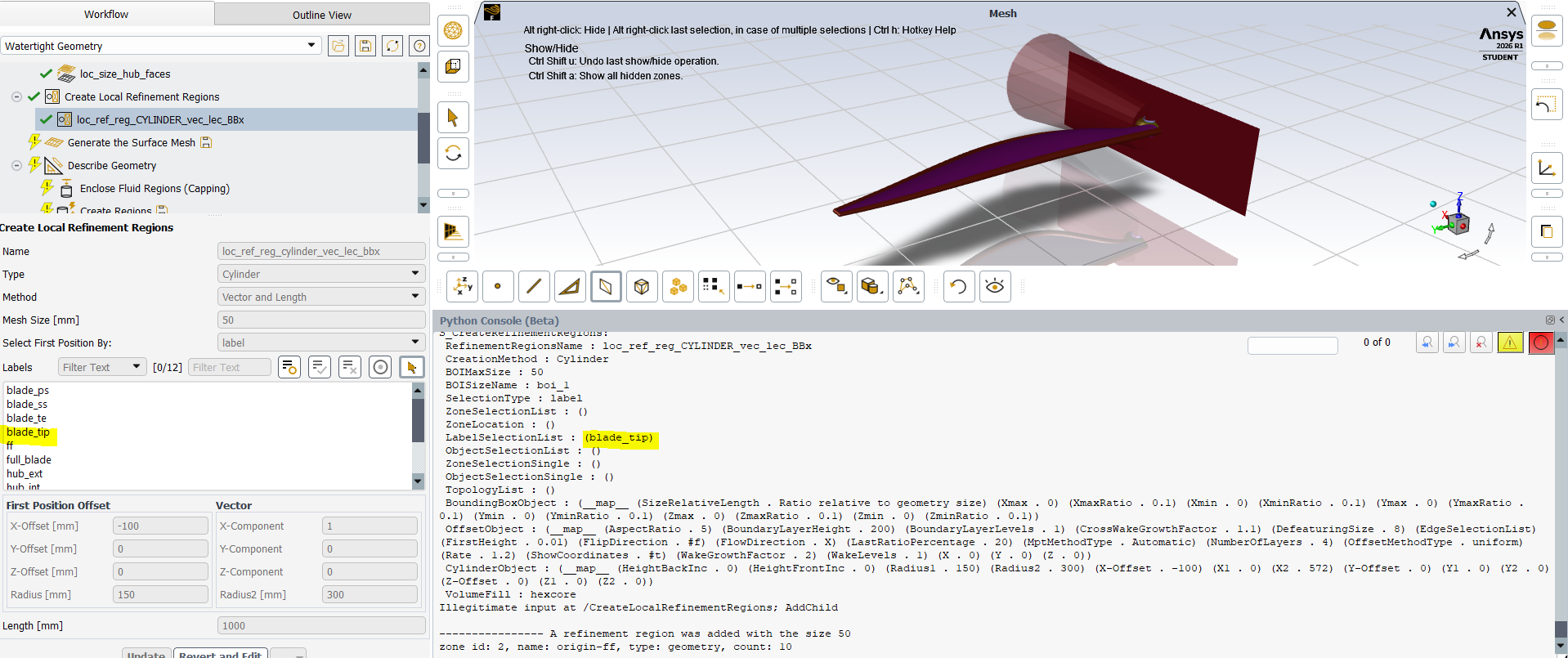
You can see how the label 'blade_tip' is initially selected but then it is removed without an error and the cylinder is generated at the origin without any label selection (which would cause an error when doing it manually).
Then I revert the same operation and select the label manually:
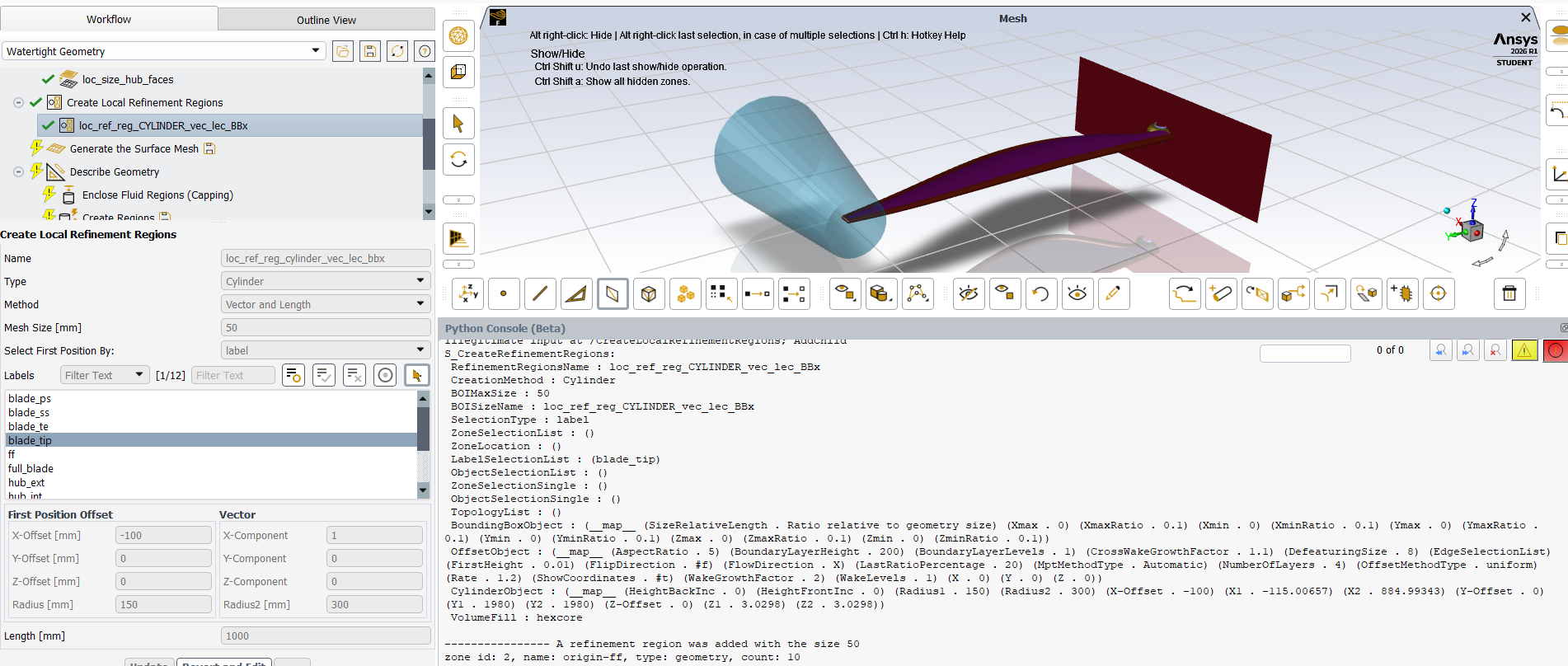
Now the cylinder is correctly placed and the key 'CylinderObject' has all these extra keys with the coordinates of the initial point and the end point (X1,Y1,Z1,X2,Y2,Z2):
"""
{'Radius1': 150.0, 'Radius2': 300.0, 'X-Offset': -100.0, 'X1': -115.006567, 'X2': 884.993433, 'Y-Offset': 0.0, 'Y1': 1980.0, 'Y2': 1980.0, 'Z-Offset': 0.0, 'Z1': 3.0298, 'Z2': 3.0298}
"""
Then this method loses all its value because it would be equivalent to using the 'CylinderMethod': 'Two Positions' where I specity directly those coordinates.
