Objective:
This post is part of a series of post that will detail each step to run a completely automated Workbench Workflow. The scripts are the following:
1. Workbench python script & the batch command to launch this script from a single command line: https://discuss.ansys.com/discussion/10615/scripting-a-complete-workbench-workflow-from-geometry-to-post-processing?new=1
2. Discovery python script to create a geometry from scratch: https://discuss.ansys.com/discussion/10616/discovery-geometry-scripting-pipe-geometry-creation-from-scratch?new=1
3. Mechanical python script to pre and post-process the static structural model - Current post
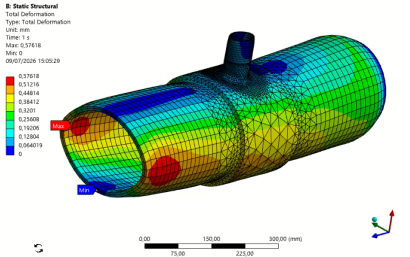
Mechanical Script: Pre process, solve and post-process the pipe geometry model
In Mechanical, the script editor can be found in the Automation tab --> "Scripting, and you can record yourself to see what commands correspond to any user action.
Credits to Vishnu Venkataraman for this script:
code split into 2 comments below due to size restrictions
