Sometimes the ability to export data is not in the API but a .TabularData allows you to access the data. But in some cases, .TabularData does not easily export.
A harmonic response is one such example.
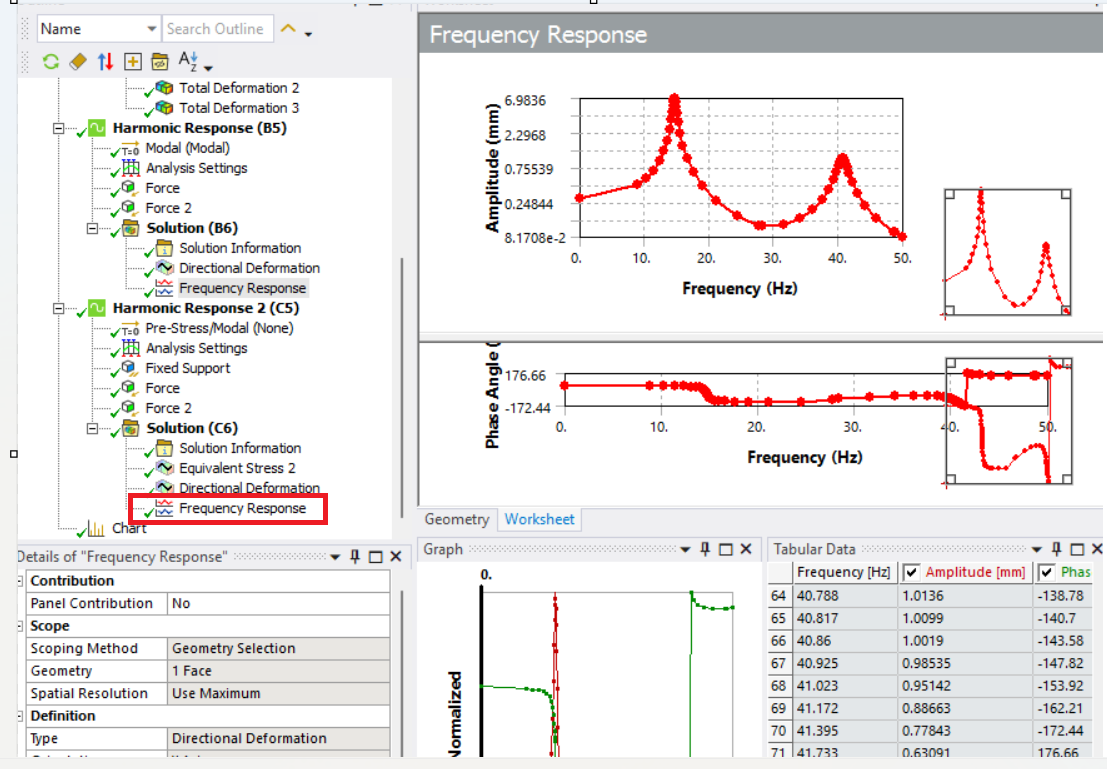
A Harmonic Frequency Response has a .TabularData API but you need to parse it for exporting to a file.
What I did (and there are countless ways to do this) is to first set up my ACT script to get the tabular data to a parameter and use the .TabularData API to get the rows and columns of the data. (The data is a kind of dictionary).
import os

resName = 'Frequency Response'
savePath = r'D://'
outputFile = 'myFreqResponse.csv'

result = ExtAPI.DataModel.GetObjectsByName(resName)[0]
tabularData = result.TabularData

keys = tabularData.Keys
rows = tabularData[keys[0]].Count
Once I had the columns (keys) and rows, I just looped through the tabularData to write it to file. I loop through the rows first and then the columns/keys just to easily keep the same format as the tabular data in the Mechanical analysis result.
with open(os.path.join(savePath,outputFile),'w') as f:
    [f.write(str(i) + ',') for i in keys]
    f.write('\n')
    for row in range(rows):
        temp_data=[]
        for key in keys:
            temp_data.append(tdata[key][row])
        [f.write(str(i) + ',') for i in temp_data]
        f.write('\n')
I used a few line comprehensions to write the lists I generate to the file just to save some typing.
So if you can get .TabularData to a parameter, this might allow to write it to file.
Note: easier to export, but not as read friendly, any python dictionary can be exported/dumped as a .json file.
